


How to Download the WEEX app on Android?
Below are the step-by-step instructions for downloading the WEEX Android version.
1. Download from Google Play
Search "WEEX" in Google Play, find the official app published by WEEX PRO, and select "Install.

💡 Note: If you can't find the WEEX app in Google Play, your account's country/region may not be supported. In this case, you can install it using the APK file.
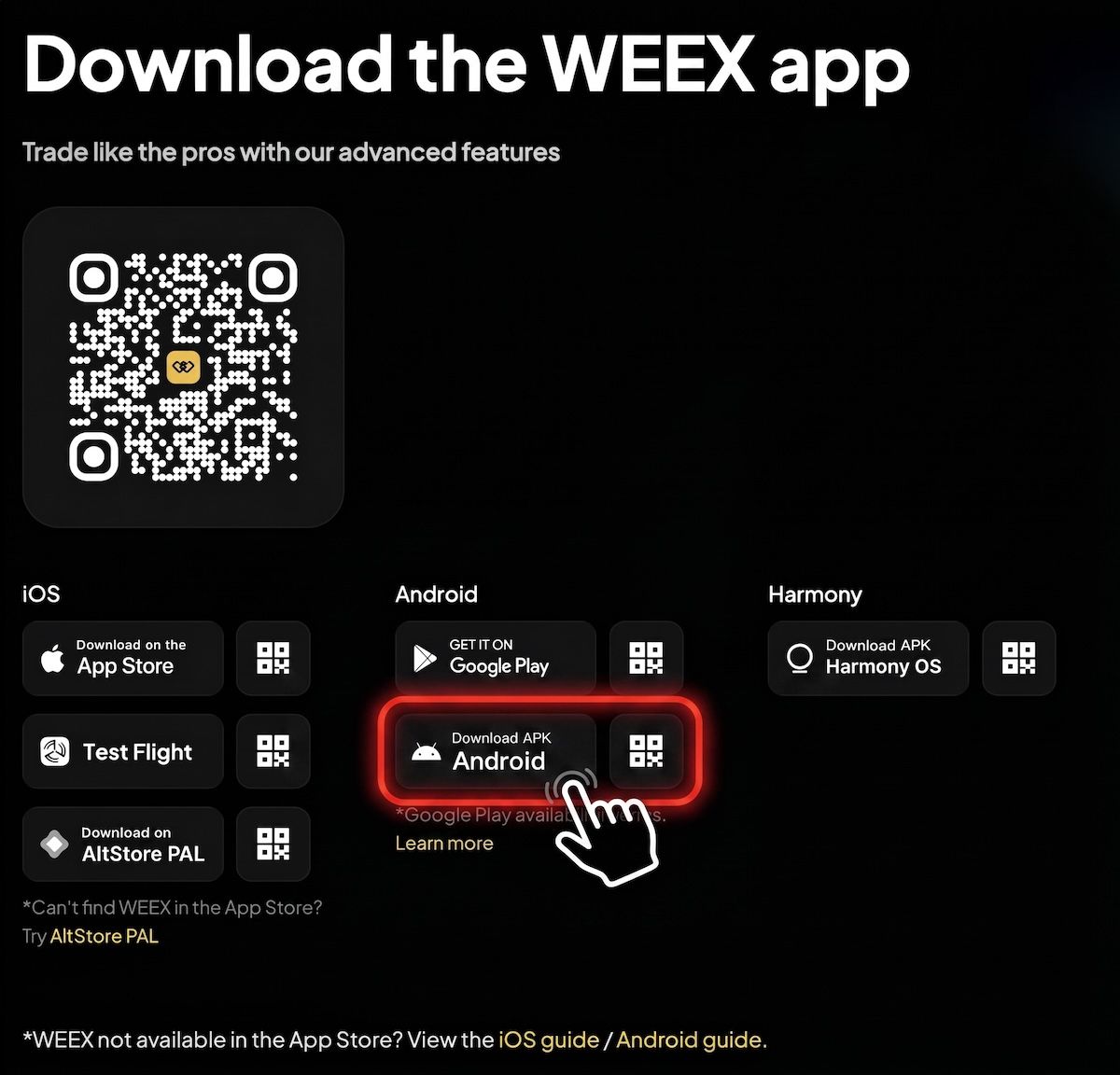
2. Download and install via APK
2.1 Get the official APK
Go to the official WEEX website, tap the download icon in the upper right corner, and select "Android APK".
2.2 Install the APK
1️⃣ Locate the downloaded APK file in your browser downloads or notification bar and open it.
2️⃣ When prompted, tap "Install" and wait for completion.
If you see a security warning, disable "Phone Manager" or "Pure Mode" (term varies by device brand) and try again.
⚠️ Note:
- Only download the APK from official WEEX channels to avoid fake apps.
- If the link doesn't open, try switching browsers or networks.
- WEEX updates its APK links regularly. If the link becomes unavailable, contact WEEX customer support for the latest version.
Visit the WEEX website regularly to download the latest version for the best experience.
💡 Note:
The official developer of the Android app is "WEEX PRO." Please verify this before downloading to avoid fake apps and protect your assets.
If you encounter any issues during the installation, contact WEEX customer support for assistance.
Learn more about installing the WEEX app here.

Gainers


